 WaterTight
Every copy says who it’s for
Sending your ID to a landlord or a bank? Stamp each copy with who it is for and why, and keep the record of who got which copy.
No account. No cloud. No network.
iPhone and iPad · iOS 17 or later
How it works
Two lines. One stamped copy.
Fill in To and For
Open a document and make a copy. Say who it is for and why, and the stamp writes itself.
Lay the stamp out
Tiled over the page, in rows, one line across, or in a corner. Set its size, opacity and colour, or write the words yourself.
Send it when you’re ready
By Messages, Mail, AirDrop, Files or Photos. The copy is kept under its document, with the record of each time it went out.
In the app
Your documents in, stamped copies out
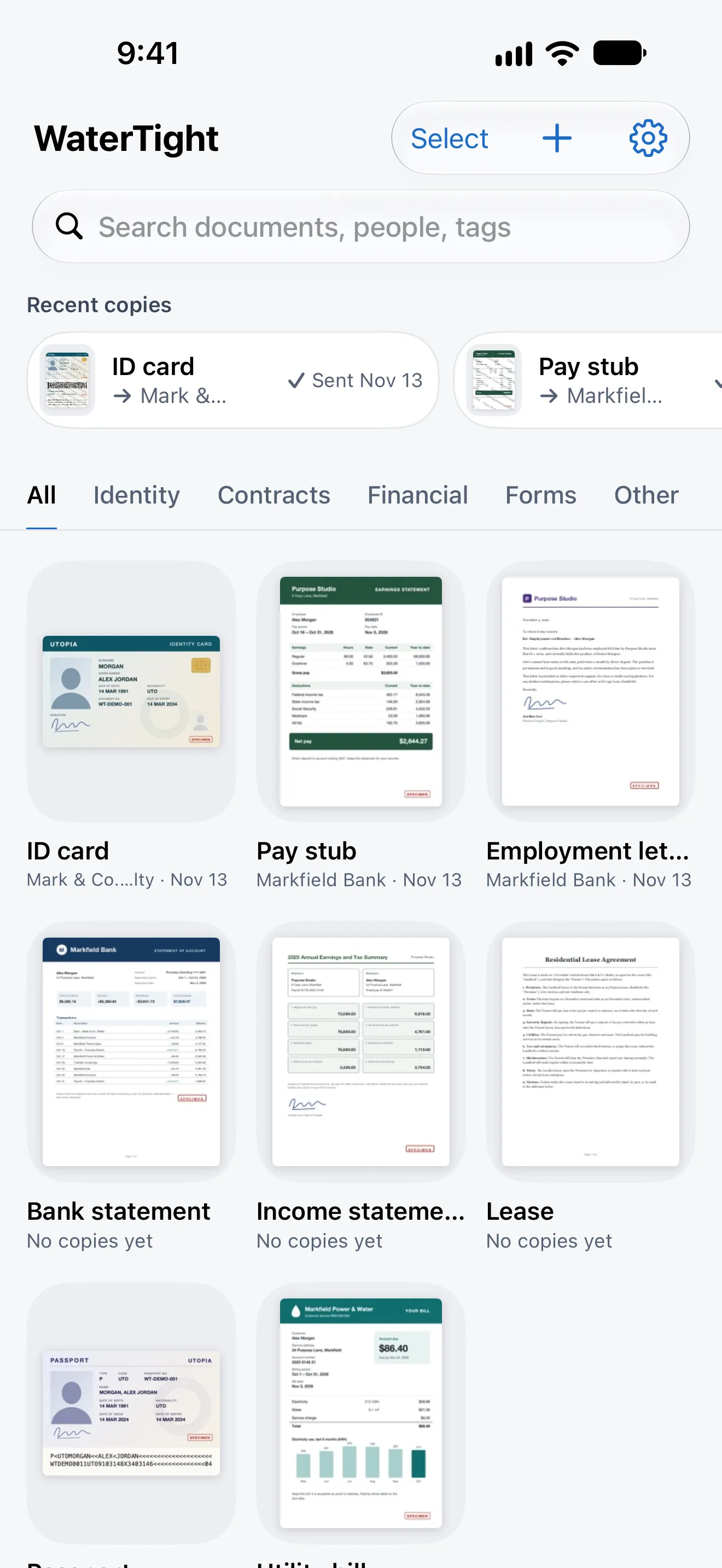
Your IDs, in one vault
ID card, lease, pay stub. Find any by name or tag.
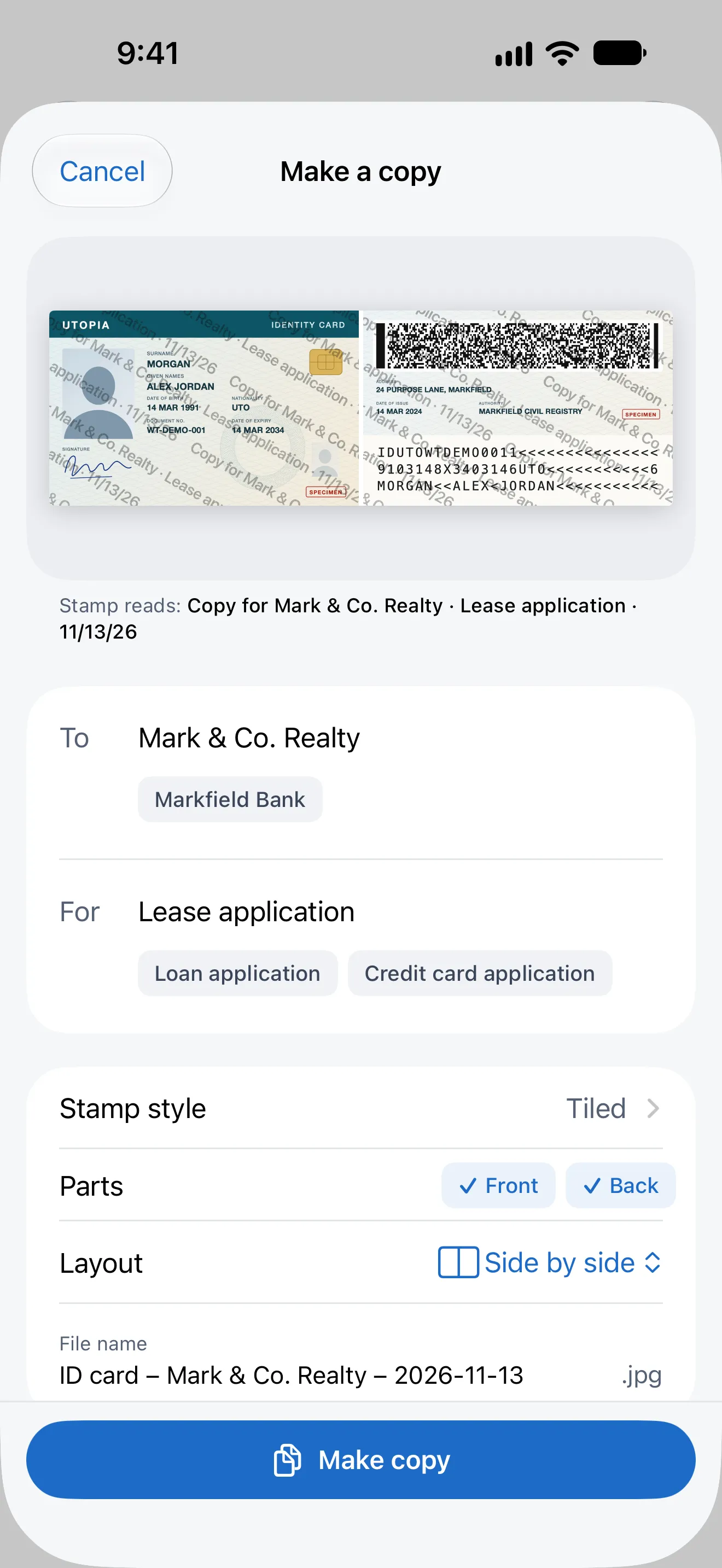
Front and back, one copy
Add the back of a card, a visa or a signature page.
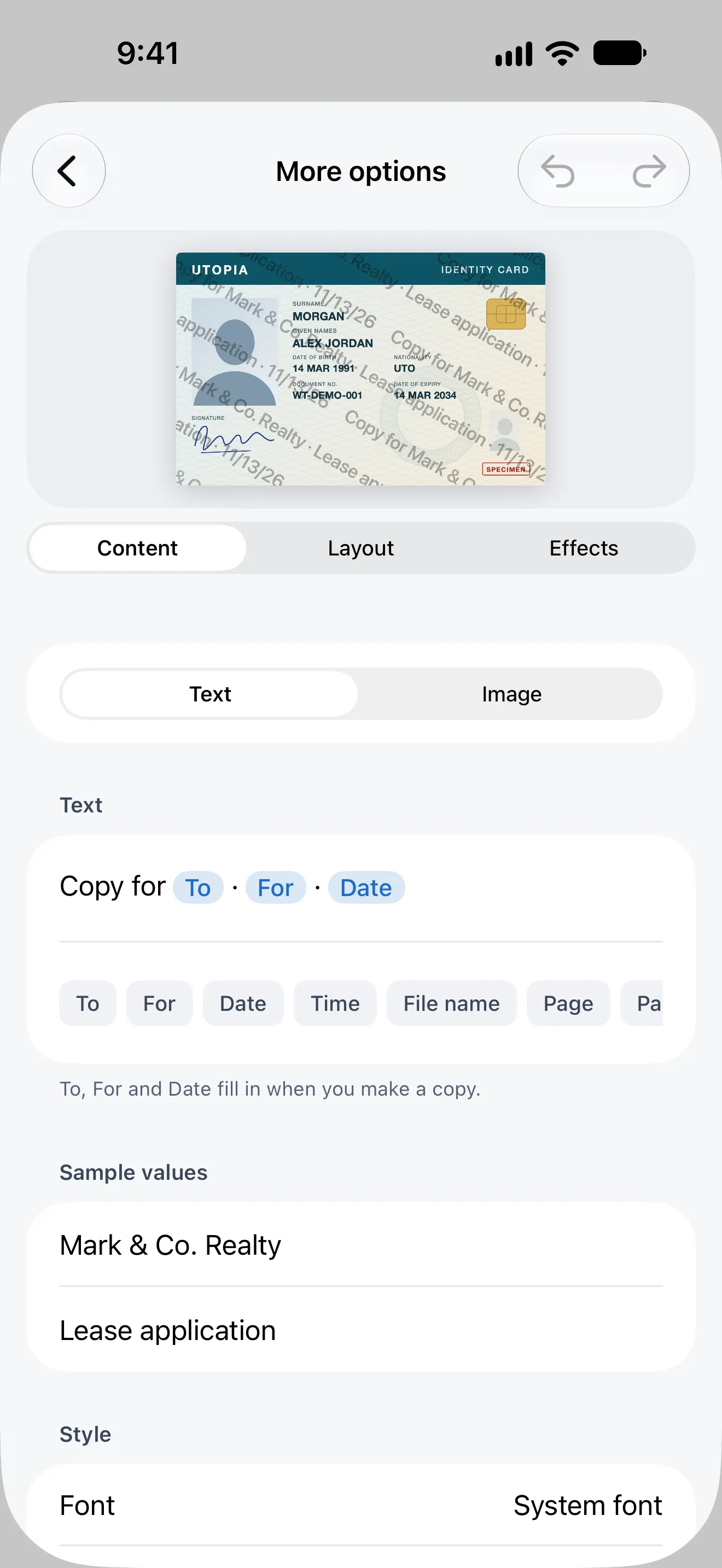
Your words on every copy
Write the stamp; To, For and the date fill in.
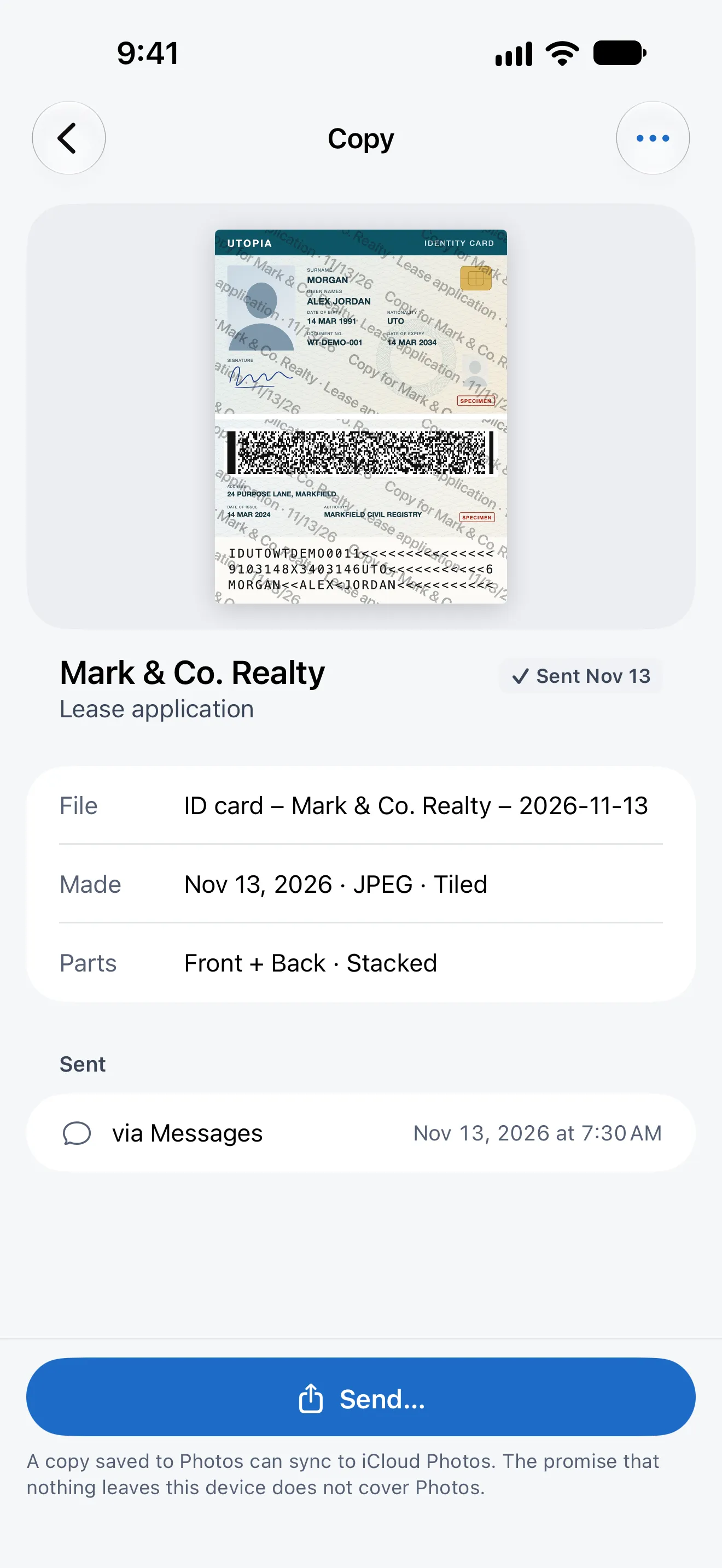
Know who got which copy
Every send is kept: to whom, when and how.
Private by design
No account. No cloud. No network.
Your documents stay on your device. The app has no network access; a copy leaves only when you send it, by the route you choose.
- Account
- None
- Cloud
- None
- Network
- None. The app has no network access
- Data collected
- None
- Lock
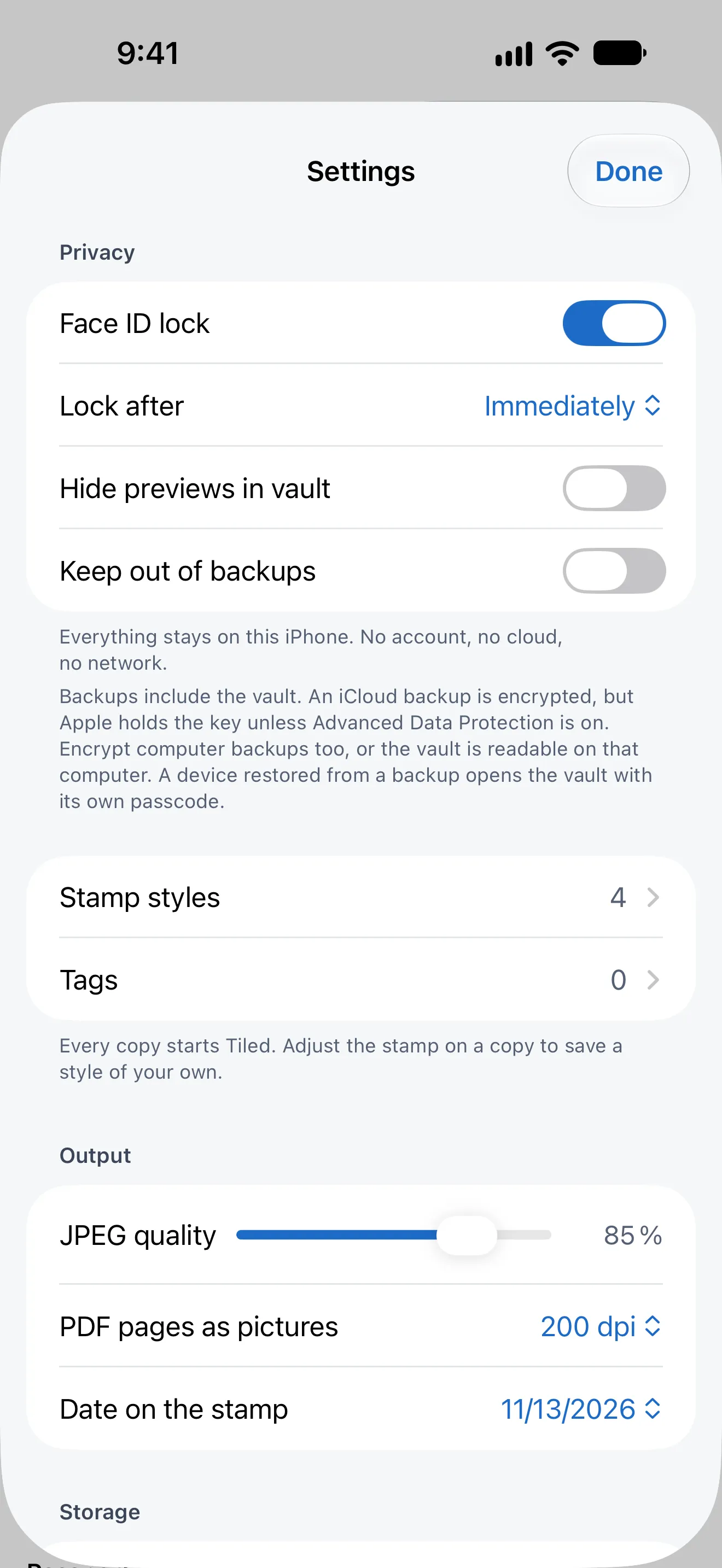
- Face ID or Touch ID. The app switcher never shows your documents
- Storage
- Encrypted at rest by iOS with your passcode
- Backup
- In your device backup, unless you keep it out
- Copies
- No location, camera or editing metadata
Questions
Before you ask
What does the stamp do?
It writes who the copy is for and why across the page, for example “Copy for Mark & Co. Realty · Lease application · 13 Nov 2026”. A copy that turns up somewhere else shows where it came from, and it is of little use for anything but what you sent it for.
Can a stamp be removed?
No watermark is impossible to remove. Harder to remove adds grain, small colour variations and distortion, which raise the cost of removing a stamp automatically. It is a switch on the Stamp panel of each copy.
Where are my documents kept?
Only on your device, in WaterTight’s vault. There is no account and no cloud, and the app has no network access. iOS encrypts the vault with your device passcode; without a passcode it is not encrypted.
Which files can I add?
JPEG, HEIC, PNG and PDF, including password-protected PDFs, from Files, Photos or the share sheet. A card can have its back, and a passport its visa or signature pages.

Stamped copies of your IDs
One purchase. No subscription, no in-app purchases.
iPhone and iPad · iOS 17 or later